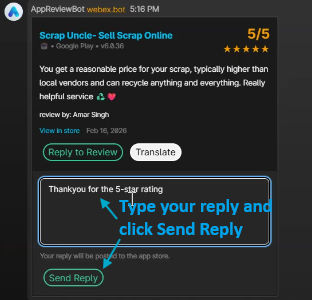
Reply from Destination
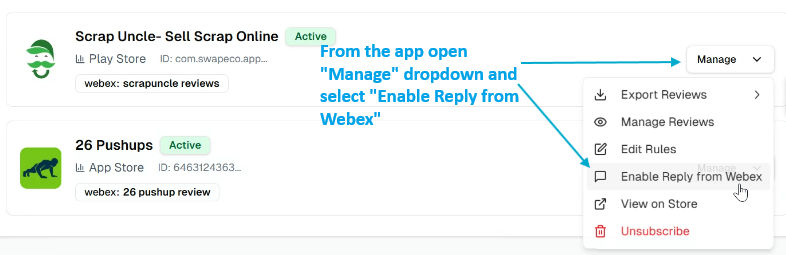
Reply from Webex – Setup Guide
Reply from Destination is currently in private beta and may not be available on your account yet. Contact support if you'd like early access.
This guide walks you through enabling Reply from Webex so you can reply to app store reviews directly from Webex without opening the AppReviewBot dashboard.
Requirements
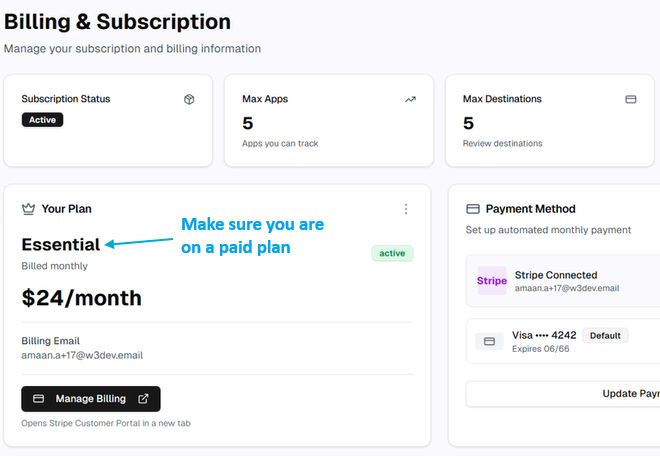
- Paid plan – Reply from Webex is only available on a paid AppReviewBot plan.
- Webex destination already set up – You must have at least one Webex destination that receives review notifications.
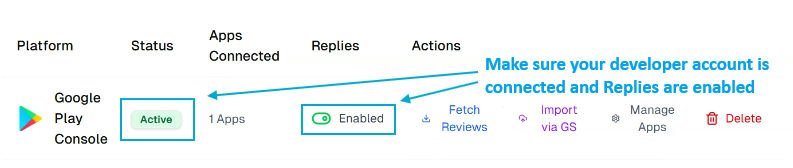
- Developer account connected – The corresponding developer account must be connected in AppReviewBot.
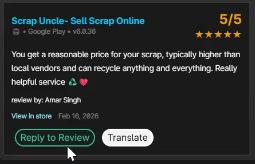 Click on "Reply to Review"