Introduction
Managing Your Subscriptions
Summary
Managing subscriptions lets you control which apps are actively monitored, adjust delivery settings, and optimize your plan usage.
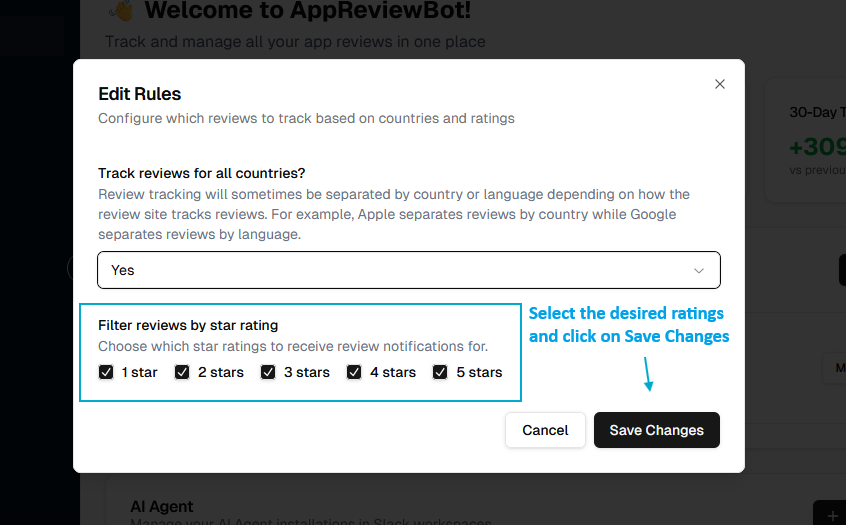
Viewing all subscriptions
Access your complete subscription list:
- Navigate to Dashboard → Tracked Apps Card
- View all subscriptions with:
- App name and icon
- App store platform (iOS, Android, etc.)
- Current status (Active)
- Configured destinations
Editing a subscription
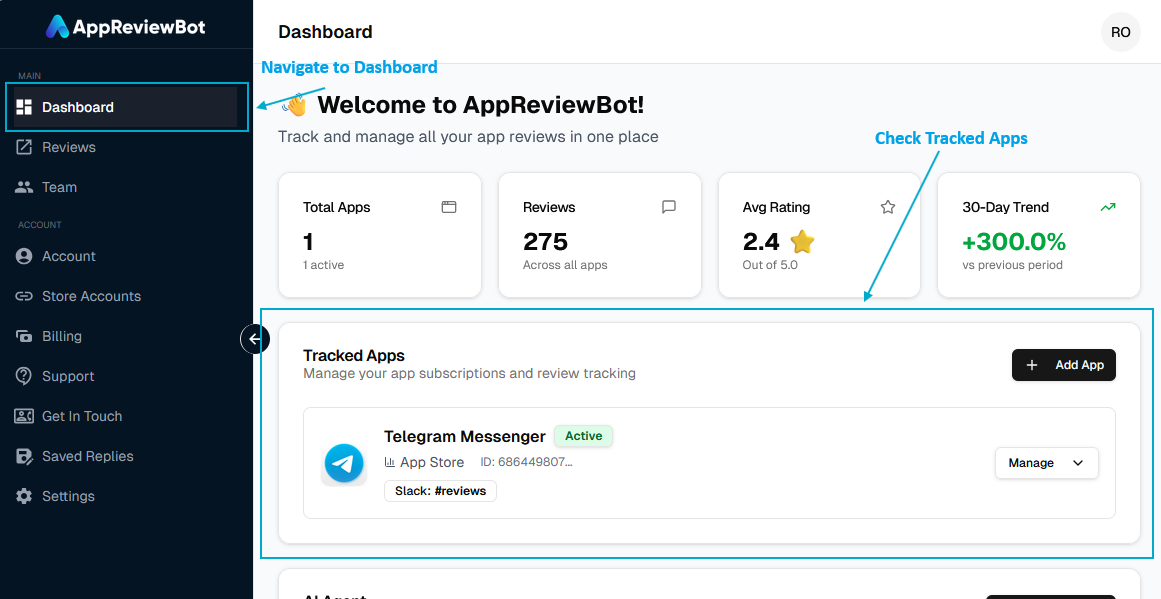
Modify settings for an existing app/subscription:
- Go to the Dashboard page from Sidebar
- Click Manage dropdown for the app you want to edit
- You can change following settings:
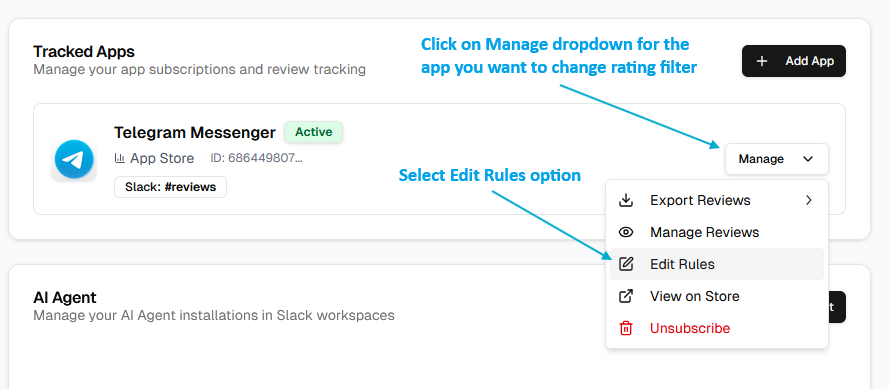 Edit Rule Modal